

 HANDS ON SharePoint
 HANDS ON Teams
 HANDS ON Lists
 HANDS ON tek
 M365 Admin
Hands-On Microsoft 365 Pulse – Weekly Updates (Week 10)
Microsoft 365 had a slow start to the year. January and February felt unusually quiet. March changed that completely. With the Copilot Wave 3 announcements made yesterday, it is clear Microsoft has shifted gears. The pace picked up fast, and the scope of what was announced signals another major change in how we work.
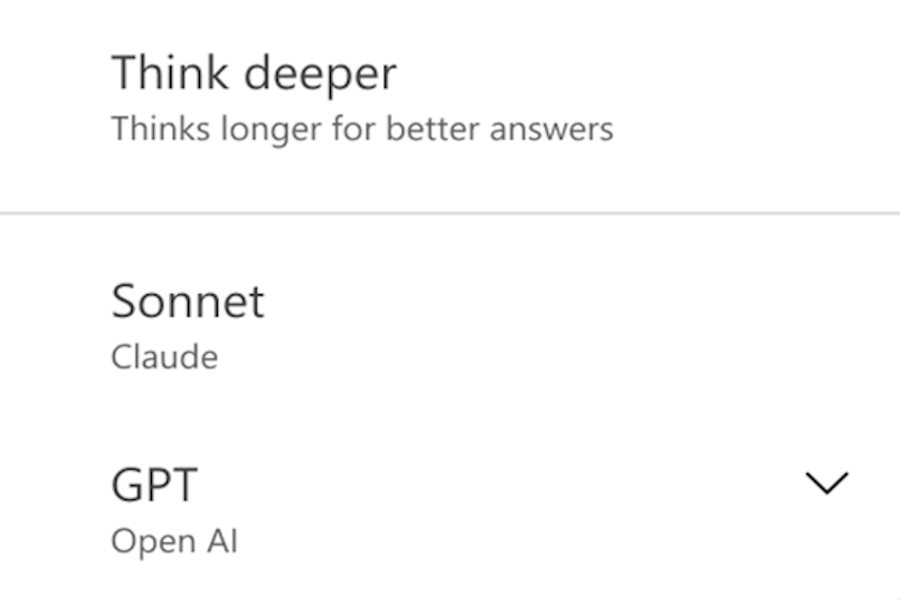
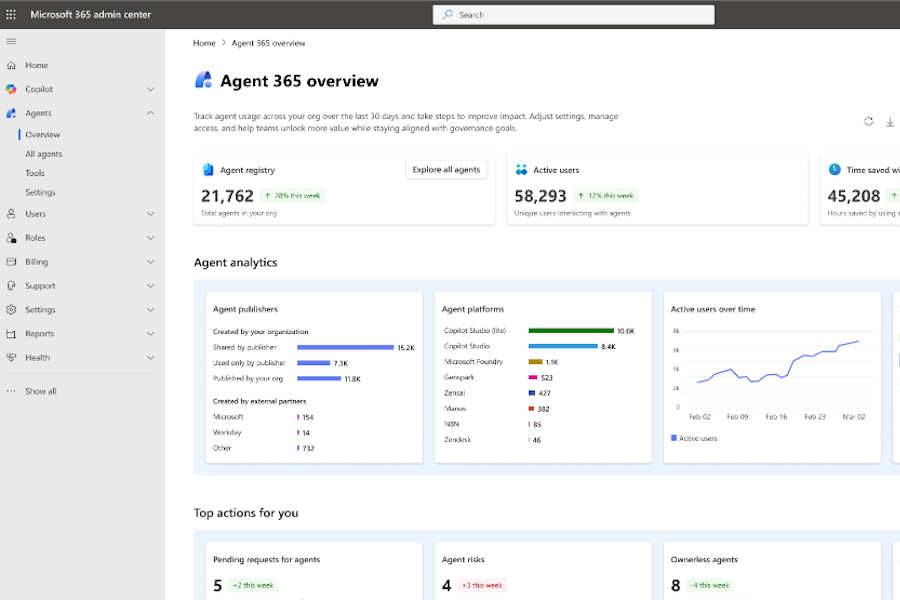
Agents are at the center of that shift. This is no longer about experimentation or shiny demos. They are reaching a level of maturity where they become genuinely useful, dependable, and close to everyday work. More support than feature. More right arm than assistant. That is why my highlights this week focus on two updates that really matter: Anthropic Claude Sonnet now available in Microsoft 365 Copilot, and Microsoft Agent 365 now generally available, finally giving admins a place to set boundaries and control in this new agent-driven world.

I also want to point you to the latest edition of my monthly Microsoft 365 recap on LinkedIn. This one includes a more personal reflection on blogging and sharing knowledge in the age of AI, and it is something I would genuinely like your take on. Are you still reading blog posts, or are you mostly relying on what AI pulls together and serves back to you?

As always, there’s a bunch more to explore — check out the full list below. Let me know in the comments what your favorite update was this week, or what you’re hoping to see next. I’m curious to hear what caught your eye!
Microsoft Copilot (Microsoft 365)
Microsoft Copilot (Microsoft 365): Take Screenshot in Copilot
Microsoft Copilot (Microsoft 365): Edit with the model of your choice in PowerPoint
Microsoft 365 Copilot
Microsoft 365 Copilot: Retirement of the Skills agent from Frontier
Microsoft 365 Copilot: Updates to PowerPoint on‑canvas features with Agent mode
Microsoft 365 Copilot: Draft and send Outlook email directly in Copilot Chat
Microsoft 365 Copilot: People agent availability update
Anthropic Claude Sonnet is now available in Microsoft 365 Copilot
Microsoft Copilot Studio
Microsoft Copilot Studio – Automatic Evaluation from the Test Pane
Microsoft Teams
Microsoft Teams: delete meeting generated content in recap
Microsoft Teams: One-time email passcodes for external presenters in Teams events
Microsoft Teams: Changes to Teams Events licensing
Microsoft Teams: Channel Agent feature updates
Microsoft Teams: Catch up on conversations in Microsoft Teams mobile
Microsoft Teams: Identify bots joining your Teams meetings
Microsoft Teams: Ad-hoc room reservation from Teams Rooms on Windows console
Microsoft Teams Rooms on Android: License-based management updates for DM-synced devices
Microsoft Teams: Improved copy and paste support for @mentions and shared contacts
Microsoft Teams: Account Switching for Native Mac Controls via Dock and Menu Bar
Upcoming change: disabling Teams meeting recording expiration notification emails
Microsoft Viva
Microsoft Viva: Insights – New Copilot Metrics Available
Microsoft Viva: Glint: AI-generated survey insights with Copilot Highlights
Microsoft Viva: Viva Glint – Custom confidentiality statements
Microsoft Viva: Expanded published report recipients
Viva Engage: Enhanced article creation and reading experience
SharePoint
AI in SharePoint (Knowledge Agent) – New Capabilities Available
AI in SharePoint (Knowledge Agent) – Important Update for EU and UK Tenants
Set expiration policies for “People in your organization” sharing links in SharePoint and OneDrive
SharePoint: Create SharePoint News Post from Copilot Pages
SharePoint: AI citations analytics for documents and pages
OneDrive
Set a custom name for the OneDrive sync folder
OneDrive: Improved max path error experience on desktop
Outlook
Outlook: Instantly Find Rules, Quick Steps, and More by Name
Microsoft Outlook: Copilot Chat available in shared and delegate mailboxes
Outlook: Draft, edit and format emails conversationally with Copilot in Outlook
Outlook: Share Word, Excel and PowerPoint local files via the new Outlook for Windows
Microsoft Purview
Microsoft Purview Insider Risk Management: Pay-as-you-go model for generative AI apps
Microsoft Purview | Insider Risk Management – Enhancements to the Data Security Triage Agent
Microsoft Purview: Data Security Investigations – Introducing new soft purge mitigation action
Microsoft Purview: DSPM data risk assessments: item-level investigation & remediation
Microsoft Purview: Credential Scanning in Data Security Posture Agent
Microsoft Purview: Data Loss Prevention – Security Store now available to discover DLP integrations
Endpoint Data Loss Prevention: Always-on diagnostics for Windows endpoints (Phase 2)
Always-on diagnostics for Endpoint DLP – Turned on by default
Microsoft Intune
What’s new in the Microsoft Intune service update for February 2026
Microsoft Intune In Development for March 2026 is now available
Windows
Prepare devices for successful updates with Windows Autopatch update readiness
Windows 365: Windows 365 Link – Customization of the login screen
Windows news you can use: February 2026 recap
Windows Autopatch is enabling hotpatch updates by default
Upcoming events to help with Secure Boot updates
Microsoft Entra
Microsoft Entra passkeys on Windows now support phishing-resistant sign-in
Microsoft Defender
New URBAC permission to preview email content in Microsoft Defender for Office 365
Unified RBAC enabled by default for new Microsoft Defender for Office 365 tenants
Microsoft Defender for iOS: End of support for iOS 16 devices
Dynamics 365
Power Platform
Power Platform admin center – Public preview for Notifications in Power Platform admin center
Power Platform – Alerts for Microsoft Power Automate work queues is now available for public preview
Power Apps – Enable push notifications in custom branded apps
Power Apps – Enable online mode to access Dataverse for Canvas apps
Microsoft Edge
Microsoft Edge: Copilot New Tab Page
Microsoft 365 Apps
Updates available for Microsoft 365 Apps for Current Channel
Finance agents in Microsoft 365: Automate financial reconciliation in Excel with unattended mode
Microsoft Agent 365 Generally Available May 1, 2026
Microsoft 365 Backup
Targeted file and folder restores in Microsoft 365 Backup
Admin & Security
Data Privacy: Microsoft Online Services Subprocessor Disclosure






No comments yet