

 HANDS ON SharePoint
 HANDS ON Teams
 HANDS ON Lists
 HANDS ON tek
 M365 Admin
Hands-On Microsoft 365 Pulse – Weekly Updates (Week 3)
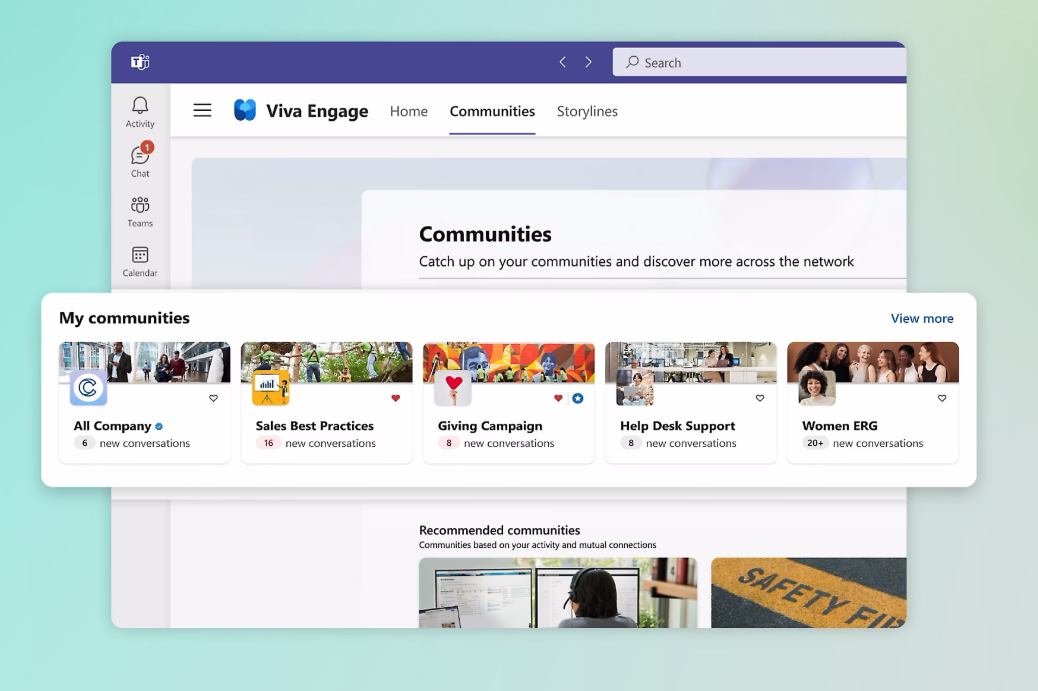
Microsoft 365 continues to accelerate into 2026 with updates designed to bring people closer and make work feel more connected. Viva Engage communities are coming directly into Microsoft Teams by March–April, giving organizations a seamless space for asynchronous conversations, without extra licenses or setup.
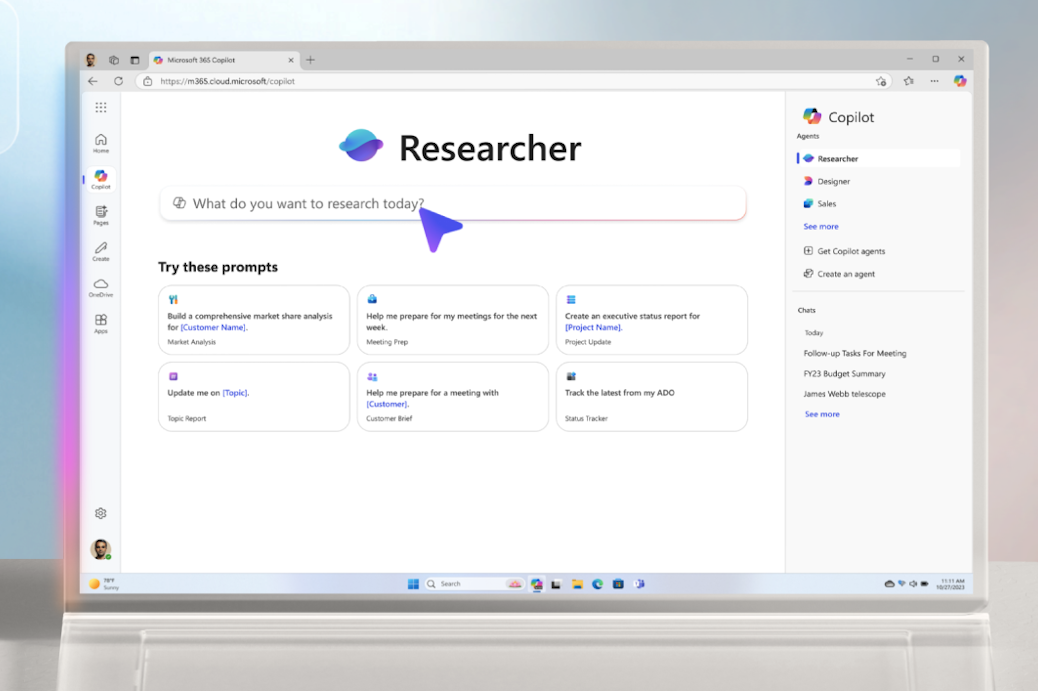
If you use the Researcher agent on Microsoft 365 Copilot to create deep, research-driven content, it is becoming even more versatile. You’ll now be able to export your reports into PowerPoint, PDF, Infographic, or even an Audio Overview, unlocking new ways to present insights and share knowledge across your organization.

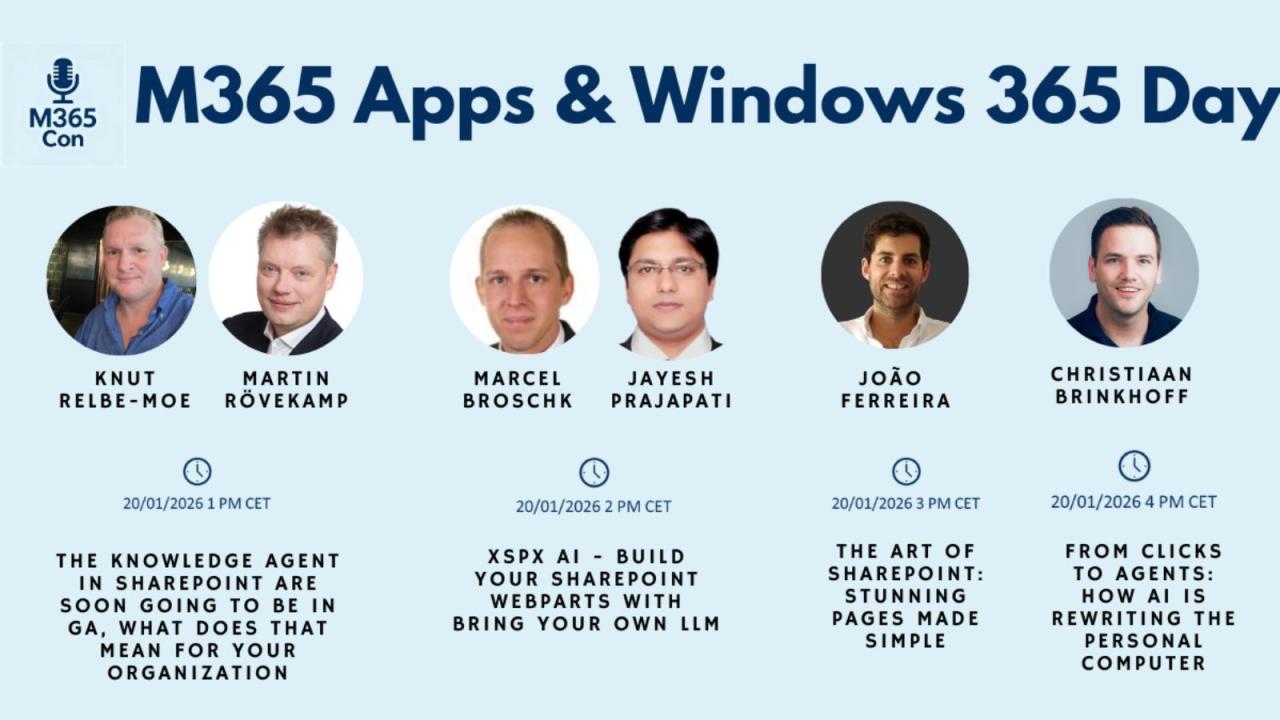
On January 20th I’ll be on stage at M365 Con delivering a session on how to build beautiful SharePoint pages that keep your intranet fresh and engaging. I’ll wrap up the day in a conversation with Mark Kashman about Microsoft Lists, Copilot, and the relentless rhythm of updates shaping Microsoft 365. Exciting times ahead—hope to see you there!

As always, there’s a bunch more to explore — check out the full list below. Let me know in the comments what your favorite update was this week, or what you’re hoping to see next. I’m curious to hear what caught your eye!
Microsoft Entra
Microsoft Entra: App Deactivation
Microsoft Copilot
Tenant setting update: Copilot capacity designation enabled by default
Microsoft Copilot (Microsoft 365): Researcher Output Formats
New Content Moderation Settings for AI Prompts in Microsoft Copilot Studio and Power Platform
Microsoft Copilot (Microsoft 365): Agent Mode in PowerPoint
Microsoft Copilot (Microsoft 365): Agent Mode in PowerPoint
Microsoft Copilot (Microsoft 365): People Skills – Expanded AI inferencing for E3/E5 users
Microsoft Copilot (Microsoft 365): People Skills – Expanded AI inferencing for E3/E5 users
Microsoft Copilot (Microsoft 365): Agent Mode in PowerPoint
Microsoft Purview
Microsoft Purview eDiscovery | Direct export expiration change
Endpoint DLP-sensitive data alerting retiring in Defender; use Purview DLP
Microsoft Purview Data Loss Prevention | Enforcement plane rename from Entra to Application
Outlook
Outlook: Save an Event as a Draft on iOS
Save a meeting event as a draft in Outlook on iOS
Outlook: Open and Send Outlook File Templates
Outlook: Open and Send Outlook File Templates
Microsoft 365 Apps
Updates available for Microsoft 365 Apps for all channels
Updates available for Microsoft 365 Apps for all channels
Microsoft 365: Drawn electronic signatures with eSignature for Microsoft 365
Microsoft Defender
Data Security Posture Agent is now available in preview
Microsoft Defender for Cloud Apps – Improvements to Microsoft 365 connector configuration page
Power BI
Power BI: End of support for on-prem SharePoint web part
Windows
The January 2026 Windows security update is now available
Windows Deployment Services (WDS): Hands-free deployment hardening (Phase 1)
Windows Backup for Organizations expands to first sign-in restore
Feature Update: Gradual Rollouts restoration in Windows Autopatch
Microsoft Edge
Microsoft Edge: Cross-platform policies in the Edge management service
Microsoft Edge: Protected Clipboard
Microsoft Edge: Watermarking Protection
Microsoft Viva
Microsoft Viva: Viva Glint – New Permissions
Export Viva Engage admin settings from Engage Admin Center
Microsoft Viva: Viva Glint – Survey Designer Role
Microsoft Viva: Viva Glint – Navigation improvements in Reporting
Microsoft Viva: Viva Glint – Navigation improvements in Reporting
Microsoft Teams
Improvements to meeting threads in Microsoft Teams channels
Microsoft Teams: Choose your “Enter” key behavior in Teams Chat Settings
Microsoft Teams: Queues app historical reporting supports 45 days of data
Microsoft Teams: Automatic removal of EXIF data from shared images
Teams Displays – Immediate action required to restore functionality after withdrawn app version
Create custom templates for immersive events in Microsoft Teams
Microsoft Teams: Viva Engage communities in Teams
Microsoft Teams: Organization evaluation score for apps and agents
Microsoft Loop
More users will be able to create Loop workspaces
Power Platform
Power Platform – Track, manage and scale Copilot adoption in PPAC new functionality
Power Automate
Power Automate – Debug easily into condition actions at runtime
Power Automate – View property value expanded inline in the new cloud flow designer
Power Apps
Power Apps – Content Security Policy enforcement for Power Apps code apps
People Skills
People Skills: AI skill inferencing expanded to E3/E5 licenses
Dynamics 365
Dynamics 365 Contact Center – Enhanced Dialpad for DTMF Tones






No comments yet