

 HANDS ON SharePoint
 HANDS ON Teams
 HANDS ON Lists
 HANDS ON tek
 M365 Admin
Hands-On Microsoft 365 Pulse – Weekly Updates (Week 51)
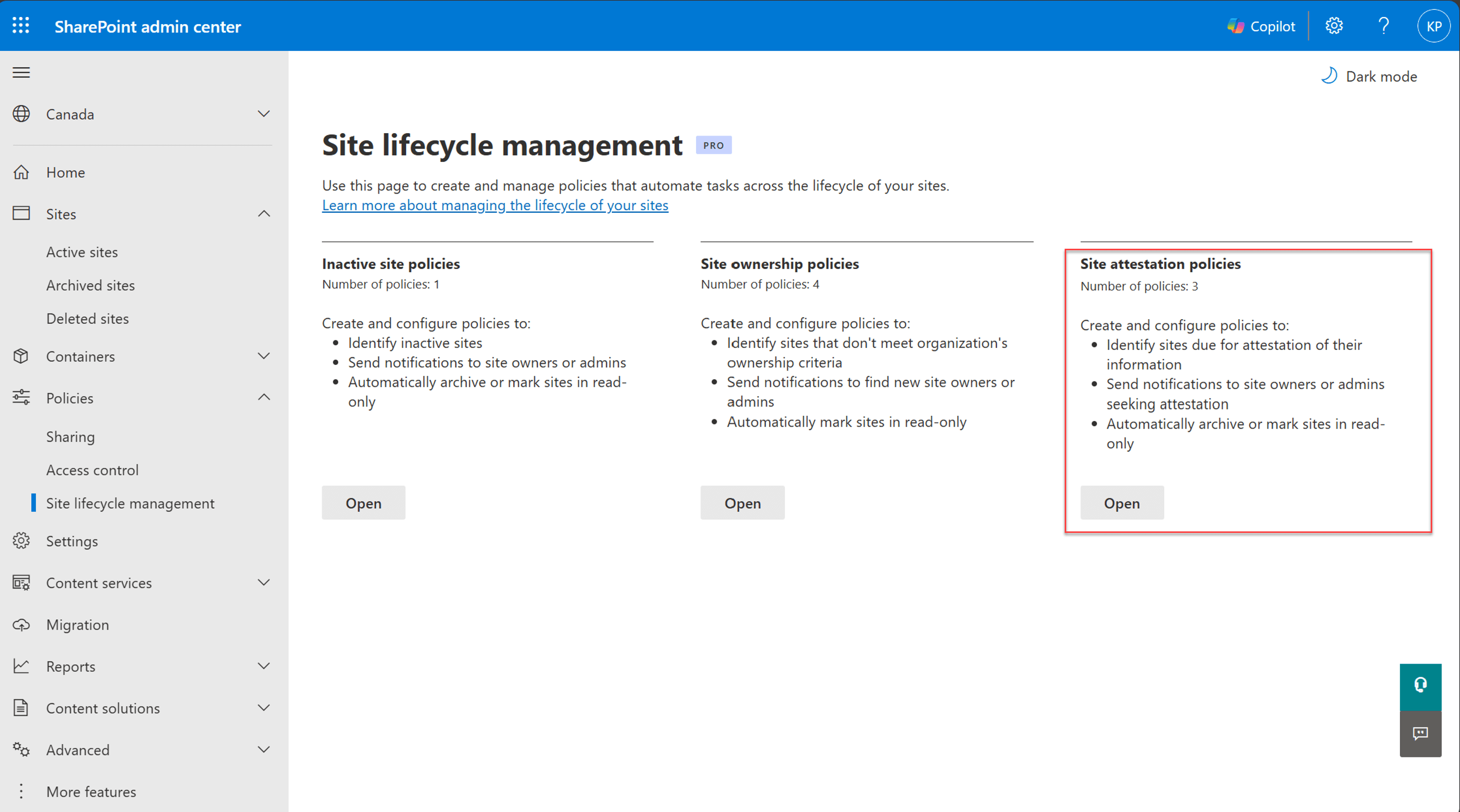
The last weeks of the year often feel slower as holiday festivities take center stage, but this Christmas week brings some real gifts for SharePoint administrators. In this edition, we’re highlighting two important updates that can make a big difference in governance and security. First, the Site Attestation Policy is now generally available. This feature allows SharePoint admins to require site owners to periodically verify site ownership, membership, and sharing settings. It’s designed to help reduce compliance risks and prevent oversharing. The policy is off by default, so it requires admin setup, and it comes with configurable enforcement actions to ensure accountability.

The second update is the Permissions Report, a new addition to the SharePoint admin center under Data Access Governance. This report shows which sites a user can access, whether through direct permissions or group-based access. It requires no configuration and is rolling out worldwide from mid-December 2025 through mid-January 2026. This tool will make permission reviews easier and more transparent, giving admins better visibility into access patterns.

As always, there’s a bunch more to explore — check out the full list below. Let me know in the comments what your favorite update was this week, or what you’re hoping to see next. I’m curious to hear what caught your eye!
Microsoft Outlook
Outlook: Prepare for meetings with Copilot in classic Outlook for Windows
Microsoft Outlook: Wait on Send for Data loss Prevention
SharePoint
New permissions report available in SharePoint admin center
Retirement of featured links on SharePoint Start Page
Site attestation policy is now generally available
Microsoft Teams
Microsoft Teams: Branded Meeting Reactions
Microsoft Teams: Meeting Notes now available for instant meetings
Deprecation of Designer bot and Designer banners in Teams
Microsoft Teams: Apps now supported in Private Channels
Express voice enrollment in Microsoft Teams
User reported security signals in Teams admin center
Microsoft Teams: Select multiple messages to forward
Teams admin center: Messaging safety defaults changing to “On” by default
Microsoft 365 Copilot
Chat visibility in the Microsoft 365 Copilot App
Microsoft 365 Copilot: Nine new connectors now generally available
OpenAI’s GPT-Image-1.5 model is now available in Microsoft 365 Copilot
Microsoft Copilot (Microsoft 365): Agent Mode in Excel for desktop apps
Microsoft Copilot (Microsoft 365): Agent Mode in Excel for GCC
Microsoft Copilot (Microsoft 365): Deep citations in Copilot
Microsoft Copilot (Microsoft 365): PowerPoint Agent
Microsoft Copilot (Microsoft 365): Suggested References in Copilot Notebooks
Microsoft Copilot (Microsoft 365): Word Agent
Microsoft Copilot (Microsoft 365): Recommended Notebooks in Copilot Notebooks
Microsoft Purview
Microsoft Purview: Endpoint Data Loss Prevention-Endpoint DLP Device Status API
Microsoft Purview: Data Security Posture Management-Data Security Posture Agent in DSPM
Microsoft Purview: Role management update
Microsoft Purview | Data Security Investigations – Introducing new purge mitigation action
Microsoft Purview: Data Security Investigations-Introducing new purge mitigation action
Microsoft Purview: Insider Risk Management-New Microsoft Fabric lakehouse risk indicators
Microsoft Purview | Insider risk management- Insider risk management for risky agents
Microsoft Edge
Microsoft Edge: Adding contextual nudges to the Microsoft 365 Copilot Chat icon
Microsoft Edge: Password affiliation service
Exchange Online
Exchange Online ActiveSync device support update
Exchange: Message Trace – Custom Retention
Excel
Microsoft Entra
Microsoft Entra: Cross-tenant security group synchronization
Microsoft 365 Apps
Updates available for Microsoft 365 Apps for Current Channel
Power Platform
Power Platform admin center – Review security role descriptions and definitions
Microsoft 365 Education
Learning Activities now available in Microsoft 365 Education and Copilot
Dynamics 365
Dynamics 365 Contact Center – Evaluate closed conversations with Quality Evaluation Agent
Microsoft Defender for Office 365
General
Migrate User Data Across Tenants: Mailboxes, OneDrives, and Teams Chats






No comments yet