

 HANDS ON SharePoint
 HANDS ON Teams
 HANDS ON Lists
 HANDS ON tek
 M365 Admin
What’s new for Copilot – July 2025
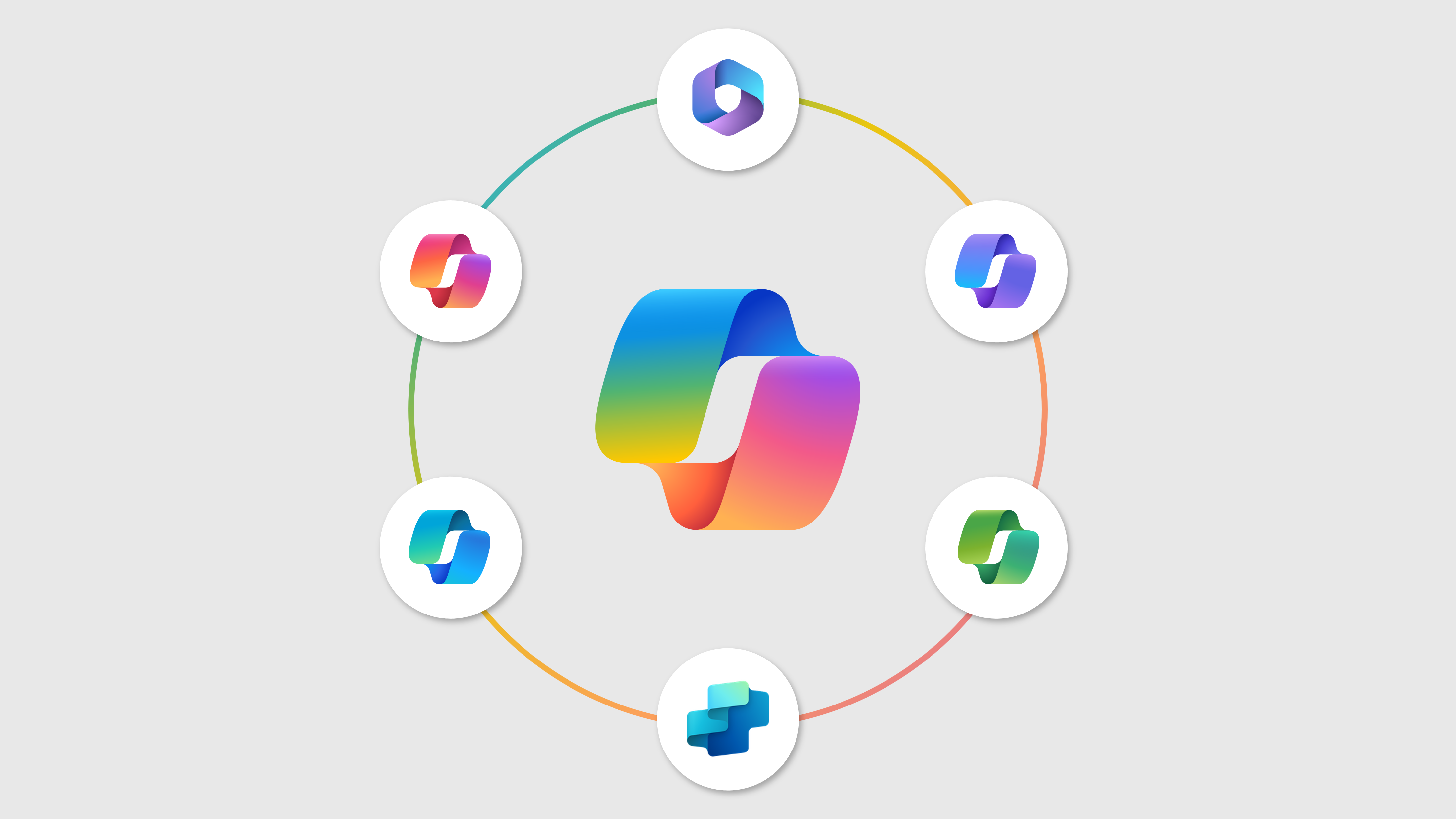
Microsoft Copilot continues to evolve at an unprecedented rate, making it challenging to track all developments across the entire suite. This month alone brought nearly 80 updates spanning various applications and use cases, reinforcing Copilot’s position as Microsoft’s fastest-moving product line.
From this extensive list of enhancements, two updates particularly deserved my attention: Researcher availability in Word for Microsoft 365 Copilot licensed users, which expands research capabilities directly within document creation workflows, and Visual Insight and Intelligent Recap features in Microsoft Copilot for Teams, which enhance meeting analysis and follow-up processes.
JUL
1
The document snapshot helps the user focus faster by surfacing the most important information for them based on their personal context.
You can now reference a PDF file when you create a slide with Copilot in PowerPoint.
Select the Suggestions tab within the Copilot summary at the top of a Word document for suggestions on improving the content of the document.
You can now reference an Excel file when you create a slide with Copilot for PowerPoint.
JUL
2
Draft with Copilot now has access to your enterprise data to help you craft high quality emails grounded in the right context. You will be able to review the sources used to generate your email draft before you send the mail.
Researcher agent is now available in Microsoft Word, empowering you to tackle complex, multi-step research tasks with ease. Whether you’re exploring new topics or synthesizing information, the agent delivers high-quality, accurate insights—helping you work smarter and faster.
Copilot in Excel now provides improved direct answers to your data analysis questions, using Python.
We are announcing the Connect to external sources in agents through Single Sign-On (SSO) feature for Microsoft Copilot Studio. This feature allows users to build agents that connect to external sources without needing to manually authenticate each time to external sources. This feature will reach general availability on July 31, 2025.
We are announcing the ability for administrators to search for phone numbers they have configured for their organization in the Copilot Service admin center in Dynamics 365 Contact Center. This feature will reach general availability on July 31, 2025.
We are announcing the ability to publish agents to WhatsApp in Copilot Studio. This feature will reach general availability on July 31, 2025.
We are announcing the ability to use Dataverse tables as a knowledge source for agents in Microsoft Dataverse. This feature will reach general availability on July 31, 2025.
Microsoft is simplifying Copilot Chat in the Microsoft 365 Copilot app for users without a Microsoft 365 Copilot license. Chat will now appear as the default module, making it easier to find. This change begins in early August 2025, with no admin action required.
JUL
3
Copilot will detect emails that are most likely to need a response and pre-generate three options for you review and select from. Save time and energy responding to high priority emails with proactive drafts.
Users will be able to list the file attachments that they received or sent over email in M365 Copilot.
Users will be able to search for and select SharePoint Lists through the Context IQ menu to help ground their prompts when using Copilot Chat.
Users will be able to search for and select Teams Channels in the Context IQ menu to help ground their prompts when using Copilot Chat.
We are announcing the ability to group up to 500 files into a single knowledge source, where agents can narrow their scope of search when queried about relevant and related data in Copilot Studio. This feature is scheduled to start becoming available July 28, 2025.
We are announcing the ability to use the Lead Manager and Customer Brief templates in Microsoft Copilot Studio. This feature will reach general availability on August 1, 2025.
Microsoft is introducing two new ways to access Microsoft 365 Copilot in Microsoft Edge for Business: via the context menu and Find on Page integration. These features will be available by late July 2025 and will enhance productivity. No admin action is required, but reviewing DLP and notifying users is recommended.
Copilot Chat in Microsoft 365 now allows users to select both individual meetings and entire meeting series from the Calendar Insights Queue for prompts, enhancing context and productivity. This feature is available worldwide and requires no admin action. Meeting series data is now accessible to Copilot, improving its contextual understanding.
Copilot Chat now offers improved search refinement in the CIQ Menu File Tab with File Type Filters and People Refiners, enhancing file search efficiency. The rollout is expected to complete by late July 2025. No admin action is required, but notifying users is recommended.
Agent management is moving from the Integrated apps page to a new Agents & connectors page under Copilot in the Microsoft 365 admin center. This update will roll out from mid-July to late August 2025, enhancing visibility and control. Inform IT admins and update internal documentation accordingly.
JUL
4
Dialogs/Task Module support is now generally available in Microsoft Copilot Agents, enabling richer, interactive experiences through URL-based modals using iFrames. This feature allows users to complete tasks within the Copilot canvas and requires developer implementation. Ensure plugins are updated and review the provided guidance for implementation.
Microsoft 365 Copilot Search, an AI-powered search experience, will be generally available mid-July 2025 for eligible users. It integrates with Microsoft 365 Copilot app across platforms, leveraging Microsoft Graph and connectors for personalized, context-aware answers. Review documentation and ensure proper licensing. Compliance considerations include data processing and AI capabilities.
JUL
8
Researcher will be available in Word for Microsoft 365 Copilot licensed users starting July 16, 2025. It combines OpenAI’s research model with Copilot’s capabilities to assist in complex research. The rollout completes by August 14, 2025. No admin action is required, and it supports 37 languages.
You can now reference an Excel file when you create a slide with Copilot for PowerPoint.
Microsoft 365 Copilot Chat is available at no additional cost for Microsoft 365 EDU users ages 13 and older who sign in with their Microsoft Entra account (no Microsoft 365 Copilot license required). Microsoft 365 Copilot Chat offers enterprise data protection (EDP), and secure AI chat, powered by the latest large language models with optional web grounding. Admins must take action to enable access.
JUL
9
Users will be able to scope their prompts to specific Channels in Teams to get more focused responses when using Copilot Chat.
Select the Activity tab within the Copilot summary at the top of a document for a summary of recent comments and changes. Choose a time window of 3 days, 1 week, or 2 weeks.
We are expanding the file types supported in Copilot Chat to align with the Microsoft Search experience.
With the Microsoft 365 Copilot app on Windows, say “Hey Copilot” to activate real-time voice conversations with Copilot. The wake word keeps you in flow, helping you draft content, analyze data, and get critical insights without having to navigate to a separate app or window. Built for enterprise, it respects your organization’s compliance and privacy settings, activating only when called.
JUL
10
This feature allows Global and Intune administrators to pin the M365 Copilot app to the Windows taskbar, providing users with easy access to M365 Copilot capabilities like Chat, Search, Agents, Notebooks and Create. This setting applies to all Intune-managed Windows 10 and 11 devices with the app installed.
SharePoint is updating the capabilities of its text editor Copilot. Now, you can not only use copilot to rewrite your existing text but also use it to keep writing or add a grounding document. By answering the question “what do you want copilot to change”, you can perform any number of refinements to your existing content.
Microsoft 365 Copilot now includes Viva Engage discussion posts from public communities and Storylines as grounding sources, enhancing contextually relevant responses. This feature, rolling out from June to August 2025, requires no admin action and does not include private content. Review Viva Engage configurations and notify relevant parties.
Microsoft is enhancing Copilot in classic Outlook for Windows to summarize email attachments (PDF, Word, PowerPoint) directly in the reading pane. This feature, available by late August 2025, requires no admin action and is on by default. It affects users licensed for Microsoft 365 Copilot.
JUL
11
The Researcher agent now has easier entry points on the Word canvas —making it faster to go from idea to polished research report without breaking your flow.
JUL
14
The Researcher agent now has easier entry points on the Word canvas —making it faster to go from idea to polished research report without breaking your flow.
The Copilot Chat usage report will include metrics on prompts submitted and expanded coverage across new host applications. Admins will now see total and average prompt counts at both tenant and user levels, along with user activity insights such as active days and last activity dates. Additionally, the report introduces visibility into Copilot Chat usage within Word, Excel, PowerPoint, and OneNote—enabling better tracking of adoption and engagement across these core Microsoft 365 apps. All metrics focus on unlicensed users and support export functionality for further analysis. User-level information is anonymized by default.
A new declarative agent control allows developers to prioritize curated knowledge sources over internal agent knowledge, improving response alignment and trust. Available now, it affects developers using Agent Builder or Teams Toolkit. No admin action is required; developers should start using the new control.
JUL
15
We are announcing the ability to create smooth transitions for time sensitive prompts in your voice conversation with hold and resume settings in Microsoft Copilot Studio. This feature will reach general availability on August 19, 2025.
Microsoft Security Copilot in Intune is now generally available, providing AI-driven capabilities to manage and protect endpoints. IT admins can use natural language to troubleshoot, create reports, and take actions. To use the new Explorer page, enable Security Copilot as an Azure owner or contributor and Intune administrator.
Microsoft Copilot in Teams will soon provide intelligent meeting recaps that include content shared on screen, enhancing the summary’s richness. This feature, requiring a Microsoft 365 Copilot license, will be available for various platforms by mid-September 2025, with no admin controls needed. No compliance considerations identified.
JUL
16
We’re making it easier to find what you need. This change will mean that users now see a single, streamlined list of all your conversations. No more switching between tabs or wondering where to look for specific conversations. Just select a conversation and you’ll pick up in the same context and mode as where you left off.
A new setting in the Microsoft 365 admin center allows admins to pin the Microsoft 365 Copilot app to the Windows taskbar for easier access. This setting, off by default, applies to Intune-managed Windows 10 and 11 devices. It will roll out starting at the end of July.
JUL
17
Users without a Microsoft 365 Copilot license can now easily summarize emails in a single click, using Copilot chat. Users must have access to Copilot chat and pinning enabled to utilize. This change is coming to both Classic and New Outlook for Windows #newoutlookforwindows
We’ve made some exciting updates to Viva Amplify’s authoring experience that will take your content creation experience to the next level. With our latest release, Copilot is now smarter and more helpful than ever, leveraging your files, like Word documents, and even meeting content, to generate high-quality communications with ease. Here’s what’s new: 1. Smarter prompt tuning We’ve fine-tuned how drafts and rewrites are handled, resulting in clearer, better-formatted output that aligns with your tone and goals. 2. Create content from files and meetings You can now use Word and Excel files, or even meeting recordings, as inputs to help generate content. Whether you’re working from a doc, a spreadsheet, or a conversation, Copilot in Amplify helps you turn ideas into polished messaging. 3. Unified content generation flow We’ve migrated to a common service that brings a consistent and scalable experience across all your AI tools in SharePoint and Viva Amplify. What’s more, generated content now appears in real-time, making the experience smoother and faster. These updates are part of our continued investment in delivering an intelligent, seamless authoring experience.
Sections with Copilot is a new SharePoint authoring tool that allows users to create full-fidelity SharePoint sections with just a prompt. It works by first looking at the context of your page to offer prompt suggestions for what content you need next to offer a starting point. Next, you either select one of those starting points or write your own and optionally ground in a relevant file.
Microsoft 365 Copilot Chat will support new file types (CAD, ZIP, MP4) starting late July 2025, enhancing search relevance and accuracy. No user action is required; the update is backend-only. Users need appropriate Microsoft 365 licenses. Compliance considerations include changes in data processing and AI capabilities.
On July 16, 2025, we published the 2025 wave 2 plans for Dynamics 365, Microsoft Power Platform, and Role-based Copilot offerings which is a compilation of new capabilities that will be released between October 2025 through March 2026. The new features and enhancements provide you with significant capabilities to help transform your business using our applications.
JUL
18
Starting early August, Microsoft 365 Copilot will switch to capacity-based access for some capabilities. Standard access will be available based on service capacity, with priority access for Copilot license holders. No admin action is required, and users will be notified if capacity is unavailable. The rollout will complete by the end of August.
JUL
22
Easily refresh parts of your document using content from other files—without copying and pasting. Copilot keeps your formatting intact while pulling in the latest updates from new sources.
Select the Activity tab within the Copilot summary at the top of a document for a summary of recent comments and changes. Choose a time window of 3 days, 1 week, or 2 weeks.
Press and hold Win + C keys, or the dedicated Copilot key for applicable devices, and the Microsoft 365 Copilot app will activate voice. With voice, talk to Copilot like a personal assistant – interrupting and redirecting at any time to prepare for the workday, create documents, understand topics, and search for information. This shortcut to activate voice means you don’t have to switch between screens to talk with Copilot. Enterprise-grade security and compliance are built in, so conversations stay private while productivity soars.
We are announcing the public preview of a new security control that allows Power Platform admins to block the selection and use of agent author authentication for tools in Microsoft Copilot Studio. This feature will be available in preview in early August and will reach general availability in the Fall of 2025.
JUL
23
Starting August 2025, Microsoft Edge for Business will introduce the Microsoft365CopilotChatIconEnabled policy to control the visibility of the Copilot Chat button in the toolbar. Available from Edge version 139, it replaces the HubsSidebarEnabled policy by version 141. No admin action is needed before rollout.
Microsoft 365 Copilot in PowerPoint will support enterprise image libraries via SharePoint OAL or Templafy starting August 2025. Admins can connect branded image libraries to enable users to generate slides with organizational images, ensuring brand consistency. Setup requires metadata-rich images and admin configuration.

JUL
24
We’re introducing a chat history filtering capability that empowers users to tailor their view of past conversations. This feature enables users to scope their chat history to a more relevant, workflow-aligned view, helping them quickly surface the chats that matters most. This enhancement is designed to support better context recall.
JUL
25
After making changes to a shared page via chat or on-canvas Copilot, responses appear as private previews, showing content suggestions that you can edit and preview privately before applying them.
JUL
28
Microsoft Copilot (Microsoft 365): Enhanced Personalization via Communication Memory in Copilot
 Microsoft Viva
Copilot-licensed enterprise users will benefit from Enhanced Personalization in Microsoft 365 Copilot through a new communication memory that further improves personalization by increasing the relevance and quality of responses based on previous communications. Communications memory is private to the user and based purely on communications the user has access to.
Microsoft Copilot (Microsoft 365): Updated UI for Copilot Chat Navigation Pane in Outlook
Microsoft Viva
The navigation pane has been repositioned from the right side to the left, offering a more intuitive layout. Despite the shift, it continues to host agents and conversation history, ensuring continuity in user experience. This redesign introduces new features, including access to the “All Conversations” page, which provides a comprehensive view of chat history. The change aims to enhance usability and streamline navigation within Copilot Chat.
This feature enables connectors to resolve external identities—such as email addresses or user IDs from third-party data sources—to their corresponding Microsoft Entra ID (Azure AD) identities. By allowing flexible identity mapping, developers can:* Simplify integration workflows without needing complex Graph API lookups.* Reduce setup friction by avoiding strict dependency on object IDs.* Improve search and chat relevance in Copilot by ensuring accurate people attribution across connected systems.
We’re introducing new options that allow admins and developers to enrich their custom Copilot connectors and its schema properties with descriptive metadata.With this update, you can now: * Provide richer context about the connection and its schema properties to Copilot’s LLM, enabling more accurate and relevant responses. Add alternate names, data source categories, common actions to your connector and description for schema properties. * Improve search and chat quality by helping Copilot better understand the semantics and purpose of your data.
Accelerate your custom connector development with intelligent schema guidance directly in the Microsoft 365 Admin Center. This feature provides:* Proposed schema suggestions tailored to the connector you’re building.* Real-time recommendations to identify gaps or errors in your schema design to help improve search and chat results in Copilot.Whether you’re starting from scratch or refining an existing connector, this enhancement ensures your schema is optimized for Copilot extensibility and performance.
1. Add or Customize icons for Custom Copilot connectors using the Graph API or from the M365 Admin Center. 2. Add or Customize display names for Custom Copilot connectors using the Graph API or from the M365 Admin Center.
Users can guide Copilot on the format (podcast-style with dual voices or a single voice), style, and duration while generating an Audio Overview of their Copilot Notebook.
Guide the content of an Audio Overview created for a Copilot Notebook through natural language input.
We’re adding support for property deletion in custom Copilot connectors, giving admins and developers more control over schema evolution. With this feature, you can:* Use Copilot connector APIs to delete or drop individual schema properties that are no longer needed.* Keep your connector schema clean and up-to-date without requiring full re-ingestion.* Reduce developer overhead and simplify maintenance workflows as your data models evolve.
Admins and developers can do a full refresh or sync of their datasource for Custom Connectors using Graph APIs. This also ensures that any items deleted in the source are automatically deleted during this full sync and admins do not have to use separate delete APIs to do this.
Save the audio overview that you have generated within a Copilot Notebook to OneDrive so you can download or share with others.
Microsoft Edge will expand its existing “Ask Copilot” integration in the built-in PDF reader by introducing two new actions — “Summarize” and “Explain.” These options will allow users to generate a concise overview or simplify complex content within a PDF or selected portion. The new actions build on the existing “Ask Copilot” integration and follow the same enterprise controls and policies.
Starting mid-August 2025, Microsoft Copilot Chat will feature a new Tools button offering easy access to task-specific AI capabilities based on user licenses. This default-enabled update enhances feature discoverability without requiring admin action; organizations should inform users and update training as needed.
Microsoft 365 Admin Center will add budget controls for Copilot Chat pay-as-you-go billing, allowing global and billing admins to set budget limits, receive customizable alerts, and view six months of spending data. Rollout starts mid-July 2025, with no automatic service shutdown at budget limits.
JUL
30
Copilot Analytics users can now view metrics about their Copilot Chat (Web) usage in Teams and Outlook. These updates enable users to better understand both active usage and action counts in Teams and Outlook and will be available in the Copilot Dashboard, as well as with additional query support.
Outlook’s Copilot chat now lets users summarize email threads with one click, available to those with Copilot chat pinned, even without a Copilot license. Rolling out worldwide from August to October 2025, it’s enabled by default, manageable via policies, and integrates with compliance and audit features.
JUL
31
Enhancement to Copilot studio agents report (Preview) 1. Addition of Weekly active user count 2. Report aggregation changed to weekly to main consistency with other reports
Copilot Analytics users can now view metrics that reflect Copilot Chat (Work and Web) activity across Word, Excel, and PowerPoint. These updates reflect the latest addition of Copilot Chat to these apps to help users transition seamlessly between workflows and will be displayed alongside existing app chat metrics for continuity. The updated metrics are available in the Copilot Dashboard, the M365 Copilot Adoption and Impact PBI reports, with additional query support for all chat prompt metrics.
Empower managers and leaders to gather additional context and check in on team progress after an org-wide Glint survey by sending a personalized Pulse that uses M365 Copilot to tailor the Pulse to the team’s needs based on the Glint survey results. With Copilot-powered Pulse follow-ups, managers and leaders can gather a timely understanding of the team’s progress to-date, make mid-point adjustments if needed, and maintain momentum in their efforts to improve engagement and employee experience.
Generating PPT grounded on a Copilot Page
Microsoft 365 Copilot will enhance presentation creation with improved content depth, narrative flow, structure, and design, saving presentations to OneDrive. The update rolls out worldwide from mid to late August 2025, requires no admin action, and has some limitations like no template selection at launch.

Listen to the latest updates
This month’s update is now also available as a podcast! If you prefer listening over reading, or want to catch up on the latest SharePoint developments while commuting or running, you can now tune in on Spotify and YouTube.
The podcast features AI hosts Maria and John, who dive into the same updates covered in this post but through a conversational format. John brings his technical analyst perspective with attention to detail, while Maria focuses on the strategic implications and user experience impact. As the prompt director, I guide the conversation to ensure we’re covering what matters most for your day-to-day work.
This is an experiment in making tech updates more accessible, so I’d love your feedback on this format. Give it a listen and let me know what you think!






No comments yet