

 HANDS ON SharePoint
 HANDS ON Teams
 HANDS ON Lists
 HANDS ON tek
 M365 Admin
Hands-On Microsoft 365 Pulse – Weekly Updates (Week 17)
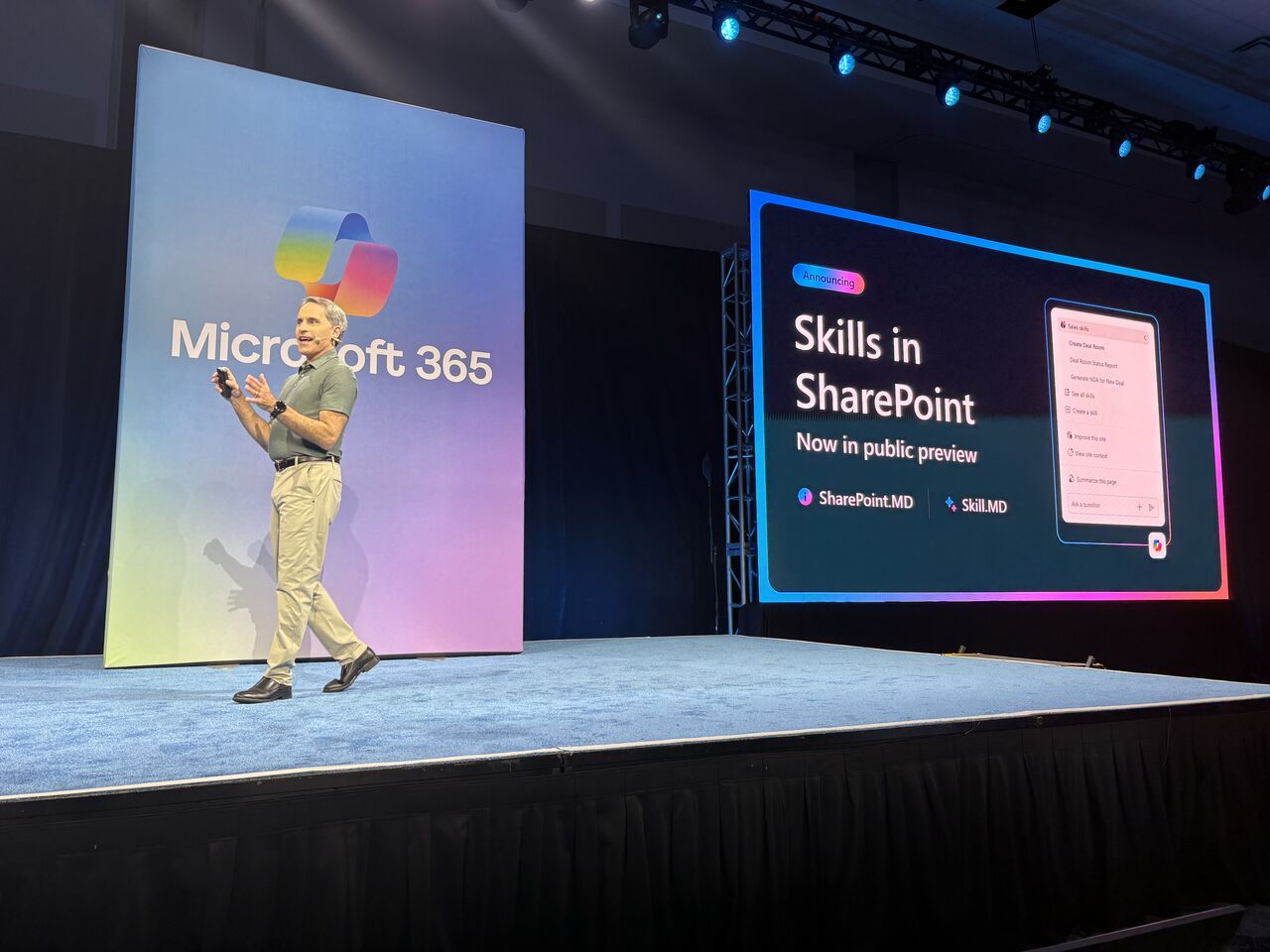
This past week I had the incredible opportunity to attend the Microsoft 365 Community Conference as a speaker, and it was truly special to finally meet so many of you face to face, exchange ideas, experiences, and stories about how we all use Microsoft 365 in our day-to-day work.
I’m saving the full conference recap for the Hands-On monthly update coming out next week, but there is one thing I simply can’t wait to share: SharePoint Skills are now available in public preview, and to me, this is the highlight of the week, despite the many other valuable updates across Microsoft 365.
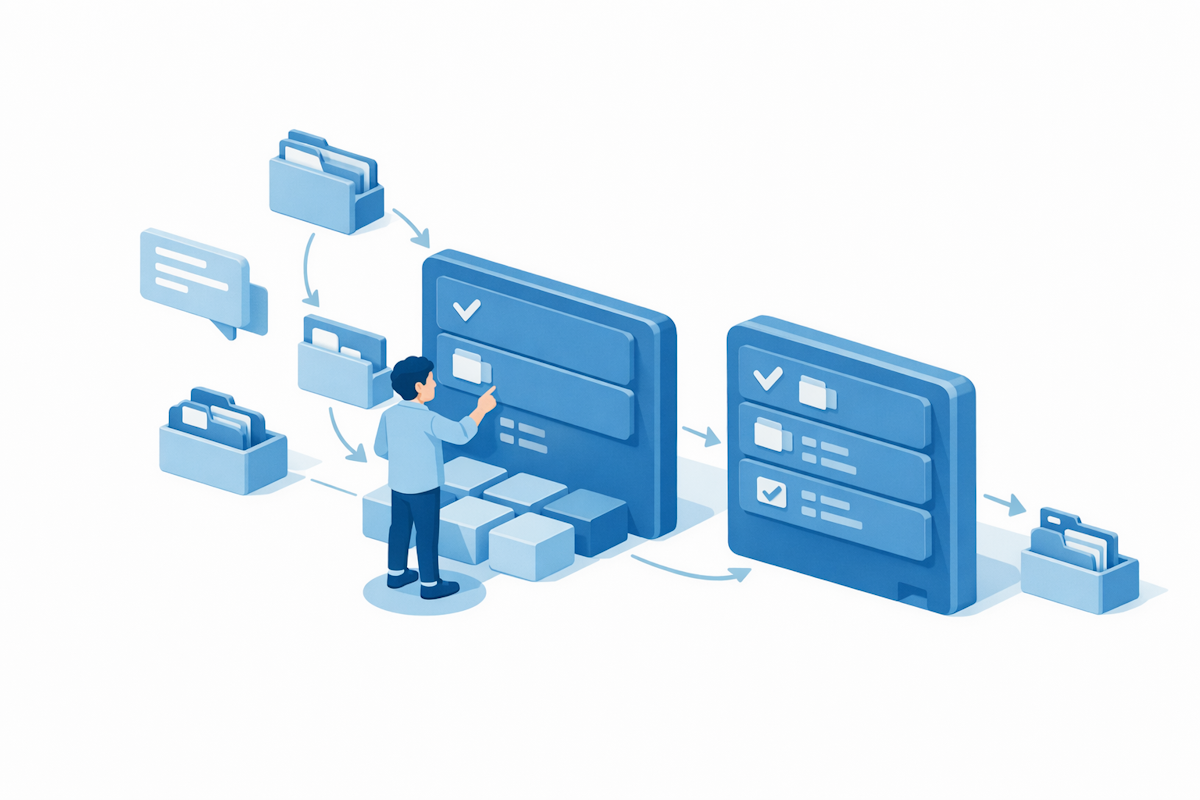
If you’re not yet familiar with Skills, I strongly encourage you to take a look and start thinking about the scenarios where you can take advantage of them in your daily work. The potential here is significant, and the sooner you start exploring, the better positioned you’ll be to make the most of this capability.
As always, there’s a bunch more to explore, check out the full list below. Let me know in the comments what your favorite update was this week, or what you’re hoping to see next. I’m curious to hear what caught your eye!
SharePoint
SharePoint
Create and edit SharePoint pages with Copilot-powered AI
Create charts on pages with AI in SharePoint
SharePoint: AI in SharePoint can generate code to translate your intent into reliable workflows
SharePoint: Governance Reviews Dashboard for Site Owners
SharePoint: Create Word, Excel, and PowerPoint files with AI
SharePoint: File Actions in SharePoint
Team site homepages will automatically collapse inactive News web parts
Create a line-of-business SharePoint Embedded app on SharePoint admin center
SharePoint: Admin Center – Data Access Governance – Permission report for a given group
SharePoint: Admin Center – detailed report on Everyone except external user permissions
Dynamics 365 Contact Center
Dynamics 365 Contact Center – Update representative presence on missed, rejected notification
Dynamics 365 Contact Center – Use Service Operations Agent to simplify setup tasks
Dynamics 365 Customer Insights
Dynamics 365 Sales
Dynamics 365 Sales – Explore complex sales insights with Sales Research Agent
Dynamics 365 Sales – Modern, in-flow email template picker for Sequences
Excel
Excel: Plan Mode for Copilot in Excel
Copilot entry point changes in Excel
Excel Desktop update required to connect to Power Platform Analytical Dataflows
Exchange Online
Exchange Online: Retirement of legacy TLS versions for POP and IMAP connections
Auto upgrade of shared calendars from legacy MAPI model to modern REST model
Microsoft 365 Apps
Updates available for Microsoft 365 Apps for all channels
Modernized Change Management for Microsoft 365
Message center post structure updates may require admin script changes
Organizational Data Export Capability for Tenant Admins
Microsoft 365 Apps: Cloud Update adds update health reporting
eSignature for Microsoft 365 – Recipient groups
Microsoft 365 Copilot
Microsoft 365 Copilot: Discover Copilot actions in OneDrive/SharePoint file preview
Microsoft 365 Copilot transition to the cloud.microsoft domain
Microsoft 365 Copilot: Change in accessing additional agents in Excel
Agent Builder in Microsoft 365 Copilot: Updates to the agent creation experience
Submit agent to the Agent Store from Agent Builder
New IT admin policy: Remove Microsoft Copilot app
Microsoft 365 Copilot: Use Copilot in Outlook to manage your inbox – available in Frontier Public
Microsoft Agent 365
Microsoft Agent 365: Registry sync
Microsoft Copilot (Microsoft 365)
Microsoft Copilot Studio
Microsoft Copilot Studio – UPDATE – Classic agent creation experience in Teams
Microsoft Copilot Studio – Automatic Evaluation from the Test Pane
Microsoft Defender for Endpoint
Assess Secure Boot certificate status with Microsoft Defender
Microsoft Edge
Microsoft Edge: Work Search Banner for Google
Microsoft Edge: Modern, unified, and updated Look and Feel
Microsoft Entra
General Availability: Microsoft Entra passkeys on Windows
Microsoft Entra ID Governance Account Discovery
Microsoft Forms
Surveys agent is being renamed to Forms agent
Microsoft Intune
Microsoft Intune In Development for April 2026 is now available
Microsoft Purview
Microsoft Purview: Migration tool in Unified Catalog to migrate classic glossary terms
Microsoft Purview for agents: AI observability and insider risk management now generally available
Microsoft Purview: Data Lifecycle Management- Azure PST Import
Microsoft Purview eDiscovery: Naming and description fields will restrict certain special characters
Microsoft Purview: Data Security Investigations – notification and improved search capabilities
Microsoft Purview: Data Security Investigations – Introducing new custom examination
Microsoft Purview: Insider Risk Management-AI app selection for Generative AI apps indicators
Microsoft Purview: Data Loss Prevention – File Quarantine action for SharePoint and OneDrive
Microsoft Purview: eDiscovery – CMK (Customer managed key) for eDiscovery direct export
Microsoft Purview: Data Loss Prevention – New Guided Experience to Diagnose and Resolve DLP Issues
Microsoft Purview: DSPM – New Microsoft Purview Data Security Posture Management Experience
Microsoft Purview: Information Protection – AI-powered intent for classifiers
Microsoft Purview | Data Loss Prevention: New guided diagnostics experience for DLP
Microsoft Sentinel
Planned breaking changes to ASIM KQL functions used by Microsoft Sentinel for Developers
Microsoft Teams
Microsoft Teams: Profanity filter is disabled by default for captions
Expanded visibility for the Teams Reader role in the Teams admin center
Assign participants to breakout rooms using CSV import in Microsoft Teams meetings
Microsoft Teams: AI-powered notes for in-person meetings with Facilitator in Teams Rooms on Windows
Microsoft Teams: Breakout rooms in Teams events
Microsoft Teams: Report external users for security concerns in Teams
Microsoft Teams: Meeting toolbar redesigned
First channel in new Microsoft Teams will default to threaded conversation layout
Microsoft Teams admin center: Events license management for Attendee Capacity Pack licenses
Microsoft Teams: Meeting organizers can automatically start transcription without recording
Microsoft Teams: Efficiency Mode
Microsoft Teams: Live chat will be renamed to Customer Connect
Teams application update needed for uninterrupted Copilot experiences on Teams Phone Devices
Microsoft Teams: Annotations on single window sharing for macOS
Microsoft Teams: Test microphone and speaker before joining a meeting
Microsoft Teams: Security Detection Report in Teams Admin Center
Microsoft Teams: Shared voicemails for call queues will be easier to manage
Microsoft Teams introduces efficiency mode to improve app responsiveness
Microsoft Teams: Delete meeting generated content in recap
Microsoft Teams: Search in quick sharing experience
Microsoft Teams: Unblock users to send message while file is uploading in the background
Microsoft Teams: Sharing recap access
Microsoft Teams: Teams Phone Call Transfer Improvements
Microsoft Teams: Improved visibility and control for downloads
Microsoft Teams: AI-powered notes for in-person meetings with Facilitator in Teams Rooms on Android
Teams Rooms sign-in failures after password reset from Pro Management Portal
Improved whiteboard saving behavior on Teams Rooms on Android with licensed user accounts
Microsoft Viva
Microsoft Engage: More for you feed when opening posts
Microsoft Viva: Viva Glint – Copilot assisted commenting in Glint survey taking
Microsoft Viva: Viva Glint – Configure data retention policy for Viva Glint
Microsoft Viva: Viva Glint – Export Heat Map report in Viva Glint to editable PowerPoint slides
Microsoft Viva: Copilot Analytics – Power user insights in Copilot dashboard
Microsoft Viva: Copilot Analytics – Export metrics from Agent Dashboard
Microsoft Viva – Copilot Analytics: Export agent data from the Agent Dashboard
OneDrive
OneDrive: Improved Shared file experience on mobile
OneDrive: Improved finding and browsing document libraries on iPhone and iPad
OneDrive: Sync Support for up to 1 million items on Windows
Outlook
Outlook: Account Selector in Outlook Copilot Side Pane
Outlook: Follow meetings in Outlook mobile
Outlook: Copilot in File Previewer for iOS
Outlook: ICS Preview experience
Outlook: Copilot now provides concise summaries with Outlook search results
Outlook: Save calendar events as .ics
Interim guidance for Egypt DST changes 2026
Outlook: Teammates Calendars in Left Nav in calendar
Outlook: Multiselect events on calendar surface
Outlook: Bulk Opening/Closing calendar groups in the left nav
Planner
Power Apps
Power Apps – Supervise autonomous agents with agent feed
Power Apps – Enable online mode to access Dataverse for Canvas apps
Power Apps – Enhanced experience for form filling with AI
Power Apps – Enhanced Search Experience in Grid Filters and Lookup Fields
Power Platform
Power Platform – Block sending customer data from Dataverse audit events to Purview Activity logging
Power Platform – Sandbox environments are now included in inactivity-based cleanup
Power Platform – PayGo not required with Self-Service Disaster Recovery (SSDR)
PowerPoint
Use Copilot to explain selected slide content in PowerPoint Live
Remote Desktop
Remote Desktop adds new safeguards for connections opened from RDP files
Windows
The April 2026 Scan Cab is available
The April 2026 Windows security update is now available
Notice: The April 2026 Scan Cab for Microsoft updates is delayed
Take action: Out-of-band updates released for Windows Server to address two issues
An updated version of the April 2026 Scan Cab is available
Ask Microsoft Anything about Secure Boot certificate updates






No comments yet