

 HANDS ON SharePoint
 HANDS ON Teams
 HANDS ON Lists
 HANDS ON tek
 M365 Admin
Hands-On Microsoft 365 Pulse – Weekly Updates (Week 15)
I’ve mentioned this here more than once, but it never gets old. I genuinely enjoy seeing Microsoft ship small, practical tweaks that remove daily friction. This week’s highlights fall squarely into that category and they’re all about Microsoft Teams.
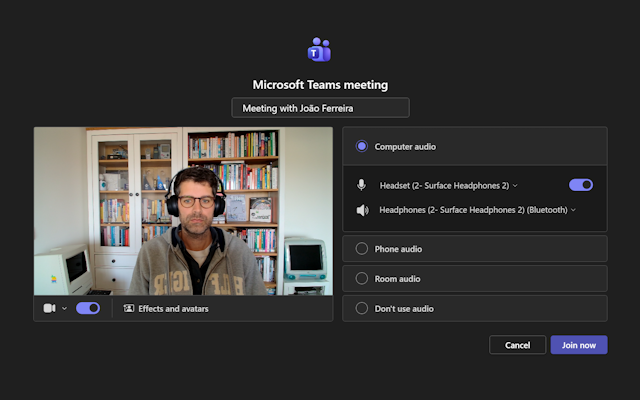
Testing your microphone before joining a meeting is finally moving to where it belongs: the join screen. Stop joining a meeting in silence because the wrong mic was selected. This matters even more if, like me, you constantly switch between headsets, webcams, or room devices.
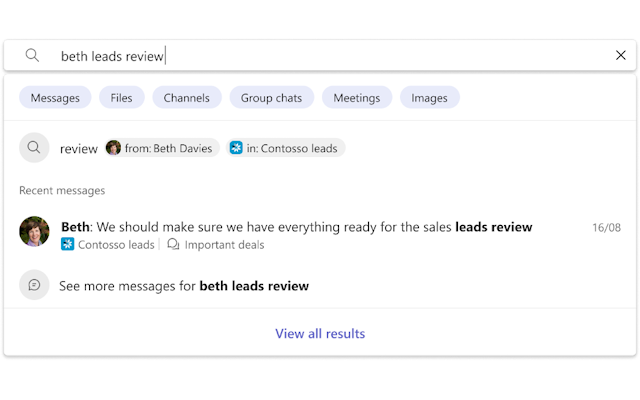
Search is also getting a subtle but welcome upgrade. As you type, Teams now suggests clearer and more recognizable results People, channels, and different types of chats surfaced earlier and with less guesswork.
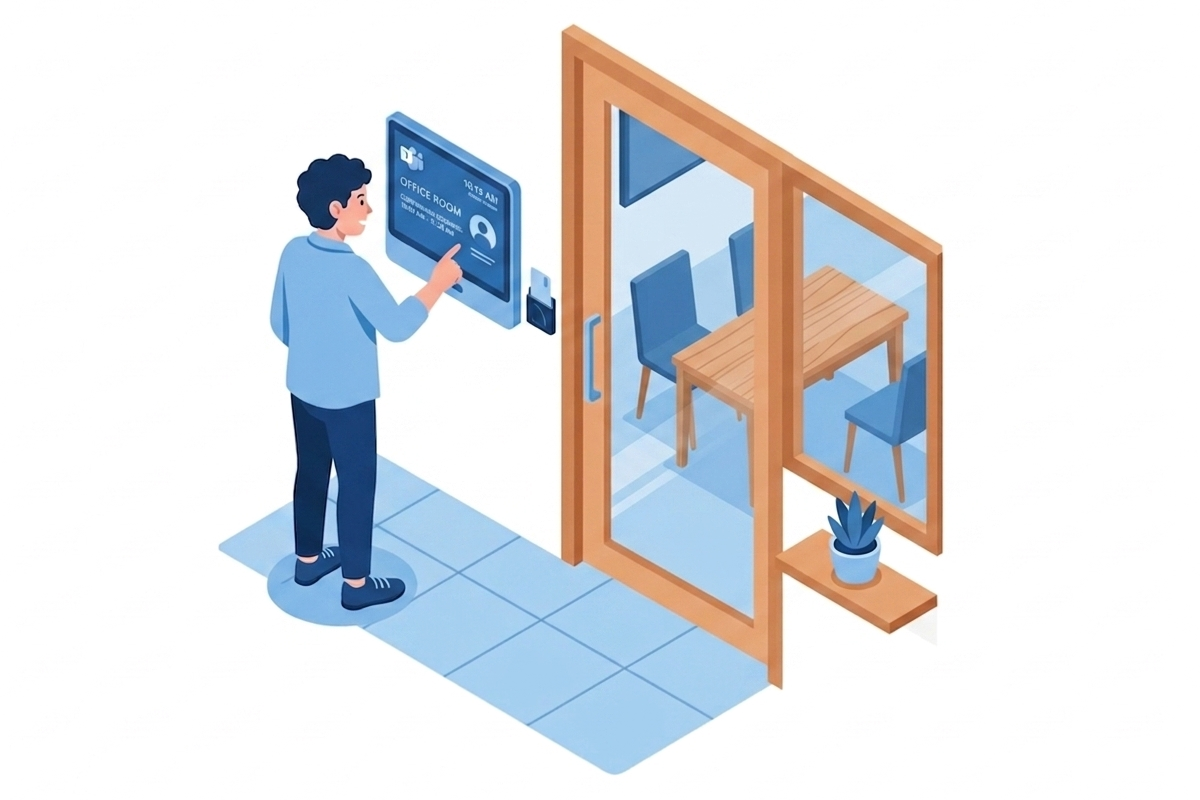
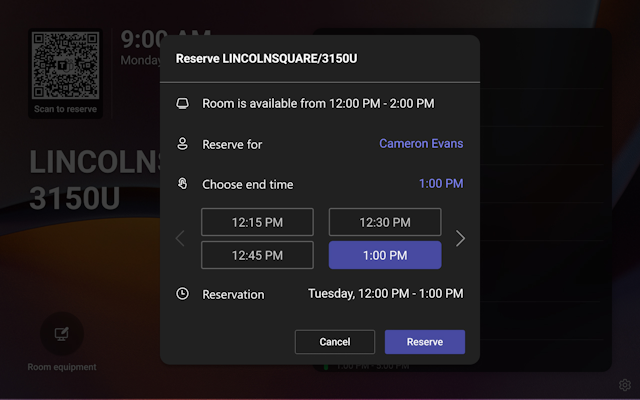
And lastly, book rooms directly from a Teams Room panel. No laptop, no detour. If you’re walking past the room, just book it on the wall ahead of time and move on.
As always, there’s a bunch more to explore — check out the full list below. Let me know in the comments what your favorite update was this week, or what you’re hoping to see next. I’m curious to hear what caught your eye!
SharePoint
SharePoint: Create charts on pages with AI
Dynamics 365 Contact Center
Dynamics 365 Contact Center – Use Admin Agent to simplify setup tasks in contact center
Dynamics 365 Customer Service
Dynamics 365 Customer Service – Protect sensitive information in emails with data sensitivity labels
Microsoft 365 Apps
Updates available for Microsoft 365 Apps for Current Channel
Upcoming change: Microsoft 365 Apps SAEC and MEC will unify
Microsoft 365 Copilot
Microsoft 365 Copilot: Updated Copilot Notebooks overview page experience
Microsoft 365 Copilot: Multimodal capture in Copilot Notebooks in the OneNote mobile app (iOS)
Simplifying agent management with Agent 365
Microsoft Copilot (Microsoft 365)
Microsoft Copilot (Microsoft 365): Find meetings based on topics and keywords
Microsoft Copilot Studio
Microsoft Dataverse
Microsoft Dataverse – Enable makers to create Dataverse AI prompt columns
Microsoft Dataverse – Review existing application users to ensure each has an email address
Microsoft Defender for Endpoint
Upcoming retirement of older Microsoft Defender for Endpoint mobile app versions (iOS and Android)
Microsoft Defender for Office 365
Microsoft Defender for Office 365: Enhancing how we handle promotional mail
Microsoft Entra
Microsoft Entra: Passkeys in registration campaigns update
Microsoft Purview
Microsoft Purview: Insider Risk Management- IRM alerts in XDR
Microsoft Whiteboard content is now viewable in Microsoft Purview eDiscovery
Microsoft Purview: DLP diagnostics enabled for all roles with DLP policy access
Microsoft Purview: eDiscovery – review set limit increase
Microsoft Teams
Microsoft Teams: Multi‑camera view support for GCC-H and DoD in Teams Rooms on Windows
Microsoft Teams: Multi-stream IntelliFrame support for GCC-H and DoD in Teams Rooms on Windows
Microsoft Teams: Entra passwordless resource account support for Teams Rooms on Windows devices
Microsoft Teams: Test your microphone before you join
Microsoft Teams: AI-generated meeting archive for knowledge retention
Microsoft Teams: Smarter auto suggestions to help you search faster
Microsoft Teams: Quick access to read items while using unread only mode
Microsoft Teams: AI meeting recap without transcript to meet compliance policies
Microsoft Teams: Book future meetings from Microsoft Teams panels (Android)
Queues app on Microsoft Teams mobile
Microsoft Viva
Microsoft Viva: Unlocking Deeper Copilot Insights with Enhanced Power BI Filtering
Microsoft Viva: New Overview experience and agent categories in Agent Dashboard
Viva Engage: Feature conversations to all network members
Outlook
Outlook: Data Loss Prevention (DLP) Policy Tips & Override in Outlook for Mac
Outlook: Copilot Search Suggestions for Outlook
Outlook: Upgraded Video and Audio Player for iOS
Complete retirement of the Outlook Lite app
Outlook: Work week view for Outlook iOS and iPad
Outlook: Keep Invitations After Responding in Outlook Mobile
Power Apps
Power Apps – Microsoft 365 Copilot will be available in model-driven apps
PowerPoint
PowerPoint: Create and Edit images with the model of your choice
Windows
Extended Security Updates (ESU) available for Windows 10 Enterprise LTSB 2016
ESR management is moving to Windows Backup for Organizations
Windows Deployment Services (WDS): Hands-free deployment hardening (Phase 2)
Windows Office Hours: April 16, 2026
Broader Windows Autopatch availability to Microsoft 365 Government Community Cloud (GCC)
Hardening administrative actions: Windows imaging, cloning, and auth workflows






No comments yet